After-Sales Service
Support Tickets & AMC
Log complaints, track response times and run annual maintenance contracts and site visits. Your customers stay informed along the way.
Free 30-minute walkthrough · reply within 1 working day
01Key capabilities
What it does.
- 01Ticket raised by staff or customer
- 02Priority sets the response clock
- 03Assigned to a person, with follow-up tasks
- 04Resolved and closed, customer informed
At a glance
- Business-hours response times
- AMC visits and renewals
- Voice notes and photos
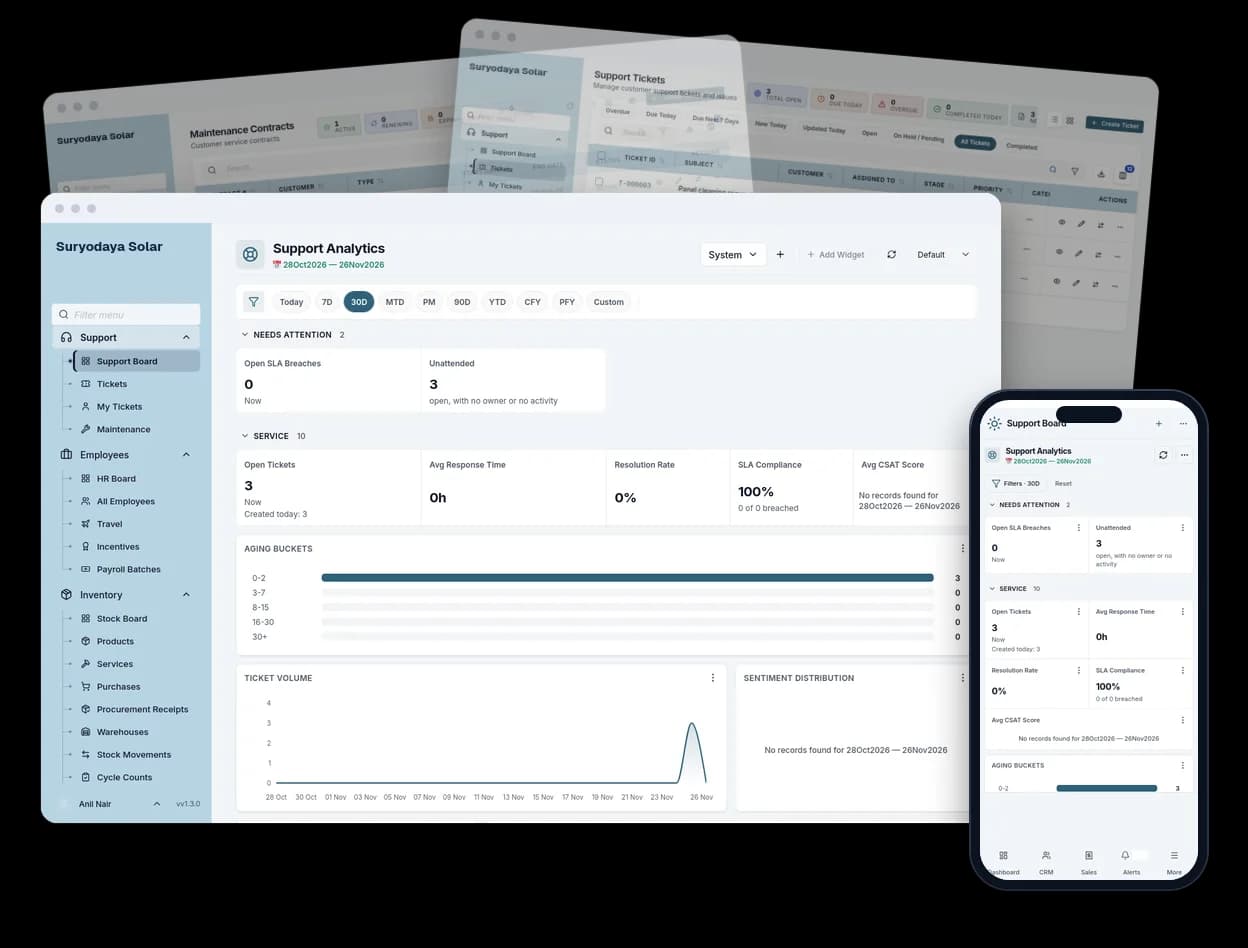
- Support dashboard
- 01
Tickets raised by your staff or by customers in the portal, and from WhatsApp when you switch that on.
- 02
Record a voice note and add up to five photos while raising a ticket.
- 03
Response and resolution times set by priority, counted in your business hours and holidays.
- 04
The clock pauses while you wait for the customer, with warnings before a deadline is missed.
- 05
Resolved tickets can close by themselves after the number of days you set, if the customer does not reply.
- 06
New tickets assigned to your agents in turn, switched on in settings.
- 07
Ticket board, saved quick replies, bulk updates, possible duplicates, linked tickets and root cause.
- 08
See whether the faulty product on a ticket is still under warranty.
- 09
Create follow-up tasks from a ticket, with ready checklists for common jobs such as part replacement or a net meter issue.
- 10
Message the customer by WhatsApp or email from the ticket.
- 11
Link a ticket to a deal, installation, invoice or maintenance contract.
- 12
Annual maintenance contracts with their own board, renewal, and staff reminders 30 and 7 days before they end.
- 13
Customers can get a renewal notice 30 days before their maintenance contract ends, when that message is switched on.
- 14
Contract fees can be invoiced on a repeating schedule.
- 15
Planned visits become technician tasks, and missed visits are flagged.
- 16
An optional one-time code from the customer to confirm a visit is complete.
- 17
Support dashboard with open tickets, response times, deadline performance and agent results.
- 18
A feedback request when a ticket closes, when that message is switched on.
- 19
Public pages for grievances and personal data requests.
Do emails turn into tickets by themselves?
No. Tickets are raised by your staff, by customers in the portal, or from WhatsApp if you switch that on.
How do WhatsApp tickets work?
It is off until you switch it on. After that, each new message from a customer opens a ticket. You reply with the message button or from the shared inbox.
Can a ticket be tied to a maintenance contract?
Yes. You link it yourself, and the contract shows its tickets. Response times follow the ticket priority.
Do deadlines count nights and holidays?
No. Times are counted against the business hours and holiday list you set.
Is there anything for agreements with our service suppliers?
Yes. CRM has Service Contracts against an installation, with activate, amend, renew and terminate steps. These are separate from your customer maintenance contracts.
See it running on your own operations
A 30-minute walkthrough. Bring a recent quote, your stock sheet or a job that is stuck.
Free 30-minute walkthrough · reply within 1 working day