Quotes Before the Sale
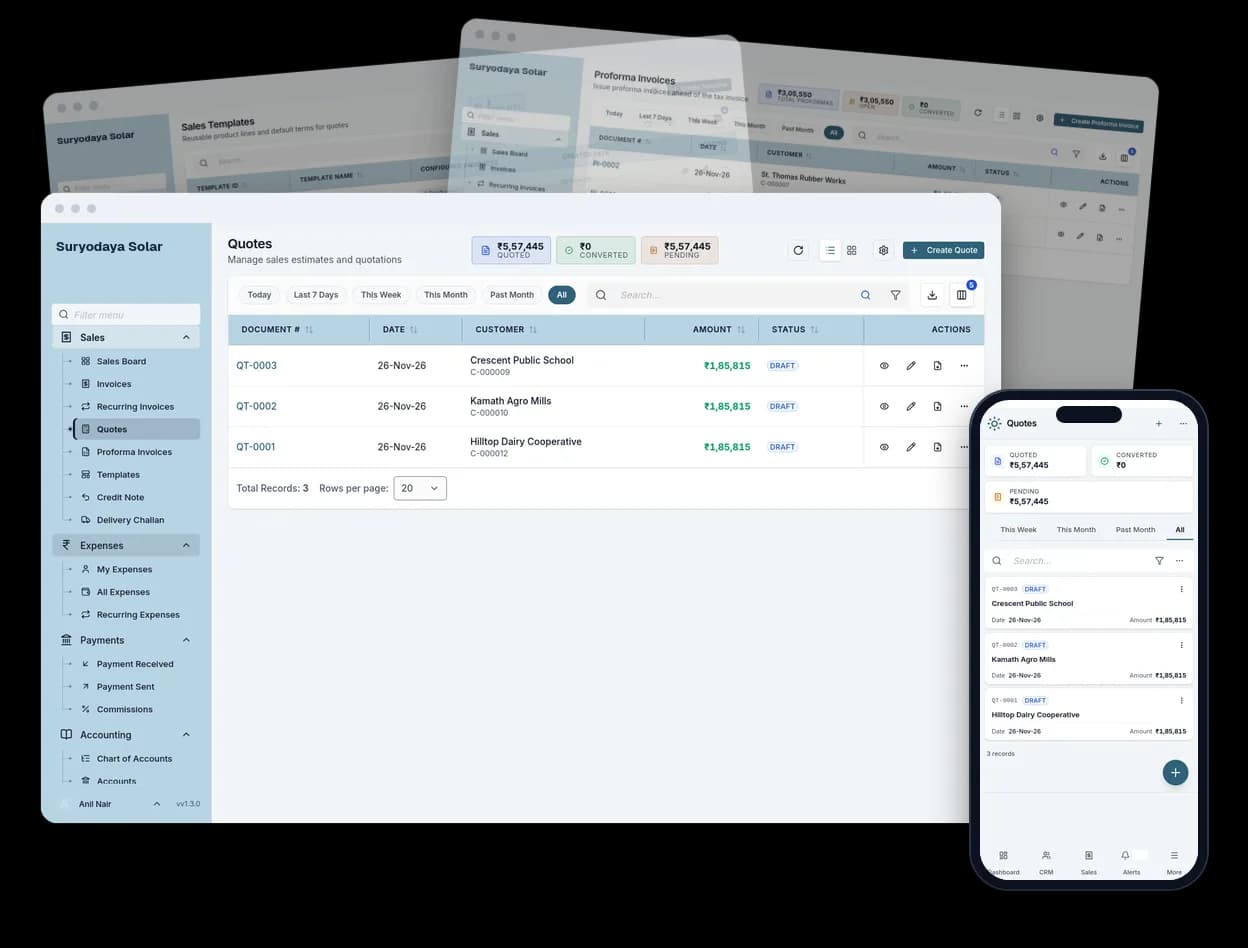
Estimates & Quotations
Make quotes linked to your deals, get them approved inside your team, send them to customers, and turn an approved quote into an invoice at the approved prices.
Free 30-minute walkthrough · reply within 1 working day
01Key capabilities
What it does.
- 01Draft the quote from a deal
- 02Add items and prices from your product list
- 03Internal approval
- 04Send the PDF to the customer
- 05Convert the approved quote into an invoice
At a glance
- Quote approval
- Version history
- Validity and expiry
- Linked to CRM deals
- 01
Customer and deal details fill in from your CRM.
- 02
Pick items from your product list, with their prices.
- 03
Every quote is approved by an authorised person before it is sent or turned into an invoice.
- 04
Version history, so you can see how a quote changed.
- 05
Validity dates, with quotes locked once they expire.
- 06
Convert an approved quote into an invoice at the approved prices. evo7 tells you if list prices have moved since.
- 07
Send proforma invoices when a customer needs one before the tax invoice.
- 08
Send the quote PDF by WhatsApp, email or link.
- 09
Raise a purchase order for material straight from the quote lines.
- 10
Templates with your company branding and terms.
- 11
Save your usual product lines as a template and add them to a quote.
Who approves a quote?
Someone in your team with the approval permission. A quote needs this approval before it can be sent or converted.
How long is a quote valid?
You set the validity date. After that date the quote is locked.
Can one deal have more than one quote?
Yes. You can keep more than one quote against a deal and see the history of each.
Can we order material from a quote?
Yes. You can raise a purchase order from the quote lines, so you do not type the items again.
See it running on your own operations
A 30-minute walkthrough. Bring a recent quote, your stock sheet or a job that is stuck.
Free 30-minute walkthrough · reply within 1 working day