Sales Billing & GST
GST Invoicing & Billing
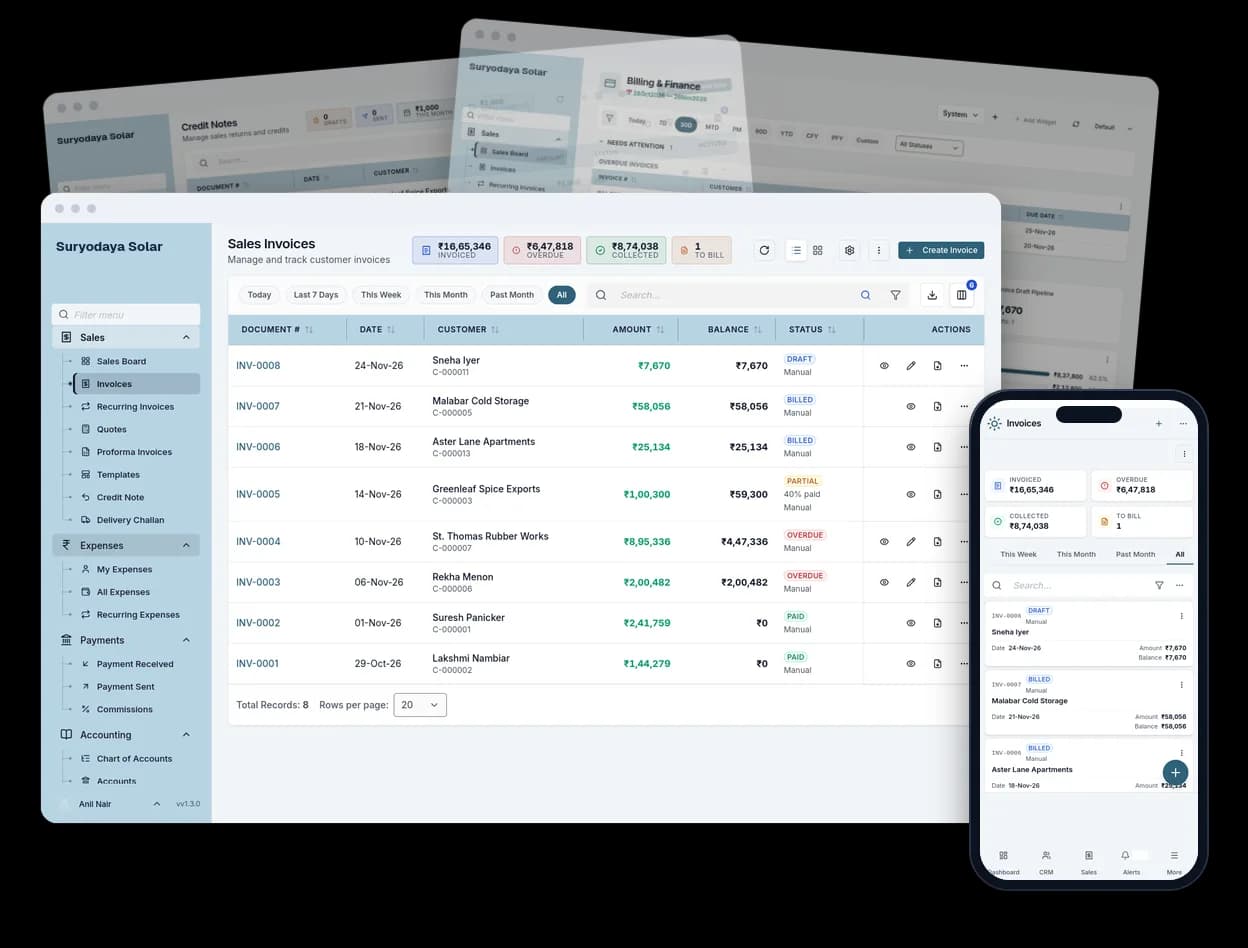
Raise GST invoices for your solar jobs, repeat AMC bills on a schedule, and send them to customers. Invoice lines come from your product list, and issuing an invoice updates your stock and books.
Free 30-minute walkthrough · reply within 1 working day
01Key capabilities
What it does.
- 01Approved quote or new invoice
- 02Check customer GST details and stock
- 03Issue the invoice with the right GST
- 04Send it by WhatsApp, email or link
- 05Record the payment and update the books
At a glance
- CGST, SGST and IGST
- HSN and SAC codes
- E-way bills via NIC
- Recurring and proforma invoices
- Export to Tally Prime
- 01
CGST and SGST or IGST worked out from the place of supply, with HSN and SAC codes.
- 02
A readiness check for customer GSTIN, tax details and address before you bill.
- 03
A warning when billing an invoice takes a customer past their credit limit. The invoice still saves.
- 04
GST e-invoice (IRN) through Zoho Books, once Zoho Books is connected and the invoice has been sent there. If Zoho Books manages your invoices, generate it in Zoho.
- 05
A delivery challan linked to an invoice is held from dispatch until the invoice is paid up to your set percentage, which starts at 90%. Standalone challans are not checked.
- 06
Invoice lines come from your product list, and issuing the invoice updates stock.
- 07
Sales entries post to your double-entry books automatically.
- 08
Turn an approved quote into an invoice without typing it again.
- 09
Raise several invoices against one deal, one at each stage of the job, whenever you choose.
- 10
Send a proforma invoice before the tax invoice, convert it later, or mark it lost.
- 11
Recurring invoices for AMC and retainer work. Each one is created as a draft for you to check and send.
- 12
Sell a solar system at one price and tax parts of it at different GST rates. Your tax adviser decides the shares.
- 13
Bill extra material used beyond the quote, and send material from a deal in parts.
- 14
Send the invoice PDF by WhatsApp, email or link.
- 15
Messages to customers who have opted in when an invoice is issued or a payment is received. Overdue reminders go by email, once per invoice and due date.
- 16
Keep earlier versions of a document and open any of them.
- 17
A UPI QR code from your own UPI ID on the invoice PDF. With Cashfree set up, you can also create a live QR or payment link from the invoice screen.
- 18
E-way bills through the government NIC service, once your e-way bill access is switched on in settings.
- 19
Ageing report that shows who owes you and for how long.
- 20
Your own invoice numbering and branded templates.
02Get paid & keep the books
Works alongside
Can we bill a solar job in stages?
Yes. You can raise several invoices against the same deal and see them together. You raise each one yourself when that stage is due.
Does evo7 make government e-way bills?
Yes, once your NIC e-way bill access is set up and switched on in settings. You can then generate, cancel and update vehicle details from the invoice.
How is GST decided for another state?
evo7 compares the place of supply with your registration state. It applies IGST for another state and CGST plus SGST within your state.
Does a UPI payment mark the invoice as paid?
It does with a live Cashfree QR or payment link. The plain UPI QR on the PDF pays straight into your bank, so you record that payment yourself.
Can our accountant use these invoices in Tally?
Yes. You can export sales invoices as files that Tally Prime imports. It is a one-way export that you run when you need it.
See it running on your own operations
A 30-minute walkthrough. Bring a recent quote, your stock sheet or a job that is stuck.
Free 30-minute walkthrough · reply within 1 working day